



 ACG
ACG
 Action
 Adventure
 Arcade
 BeautifulGirl
 Board
Board
 Card
Card
 Casual
 Chess
Chess
 Educational
 Horror
 Multiplayer
 Music
Music
 NSFW
NSFW
 Puzzle
 Racing
 Sports
 Strategy
 Survival
 Business
 Communication
 Education
 Entertainment
 Family
 News
News
 Photography
 Social
 SportsLive
 Tools
Tools
 Traffic
 Video&Music
 Weather
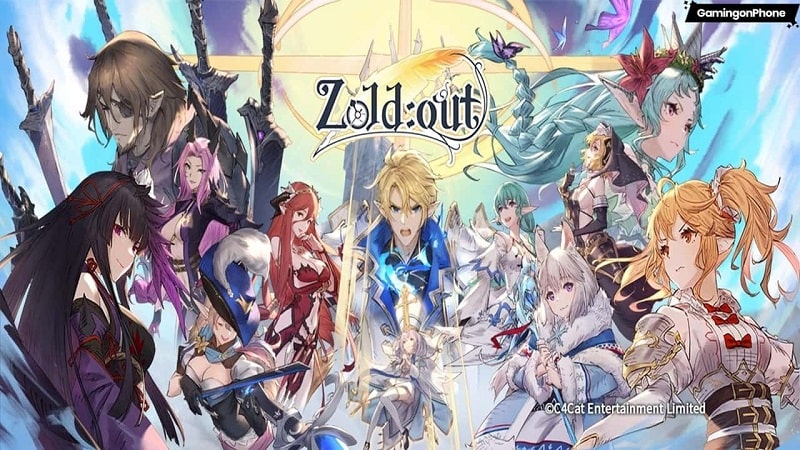



Zoldout Global Mod is a turn-based strategy RPG where players assemble a party of heroes and engage in card-based tactical combat against waves of monsters and bosses. The game targets players who enjoy managing hero abilities, constructing decks of weapon cards, and executing strategic plans in a sequential battle format. The core loop involves progressing through stages, unlocking new heroes and weapon cards, and facing increasingly difficult boss encounters.
What This Mod Unlocks
- Injects a floating mod menu accessible from any game screen.
- Provides a configurable damage multiplier for your heroes' attacks.
- Provides a configurable defense multiplier to reduce incoming damage.
- All multipliers are toggled and adjusted via the mod menu interface.
The mod menu appears as a small, movable icon on the screen after launching Zoldout Global Mod. Tapping this icon opens the control panel where you can slide the damage and defense multiplier values. Changes are applied immediately to the current battle session.
This mod for Zoldout Global Mod requires Android 5.1 or higher. The installation file is approximately 580 MB. Root access is not required. The mod functions by modifying client-side calculations only.
- Download the modified Zoldout Global Mod APK file.
- Enable "Install from Unknown Sources" in your Android settings if prompted.
- Open the downloaded file using a file manager to begin installation.
- Launch Zoldout Global Mod and look for the mod menu icon on screen.
Known edge cases include potential instability if multipliers are set to extreme values during certain boss animations. The mod menu may not be visible during initial tutorial sequences; it is recommended to complete the tutorial first. Using high multipliers in PvP or ranked modes carries a high risk of detection and account penalty. Progress and mod settings are stored locally and will reset if the app's data is cleared.

