



 ACG
ACG
 Action
 Adventure
 Arcade
 BeautifulGirl
 Board
Board
 Card
Card
 Casual
 Chess
Chess
 Educational
 Horror
 Multiplayer
 Music
Music
 NSFW
NSFW
 Puzzle
 Racing
 Sports
 Strategy
 Survival
 Business
 Communication
 Education
 Entertainment
 Family
 News
News
 Photography
 Social
 SportsLive
 Tools
Tools
 Traffic
 Video&Music
 Weather



Introduce MOD APK White Border
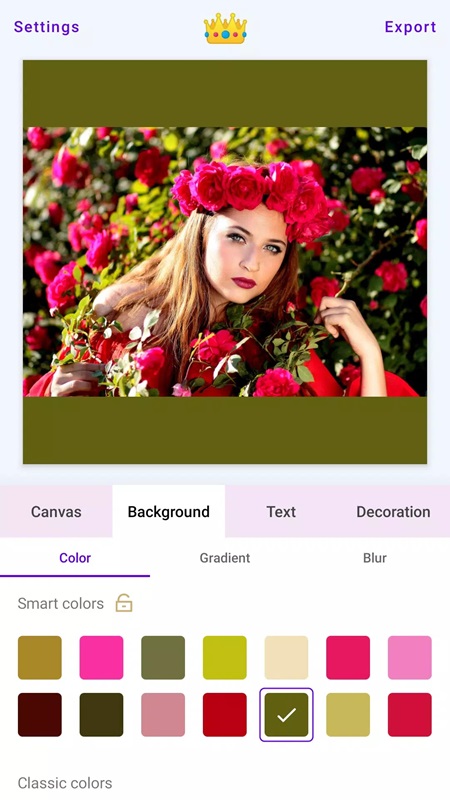
White Border MOD APK (Unlocked Premium) has the function of creating borders and blurring the background of the photo, making your photo more prominent and harmonious. Users can use beautiful color filters to change the photo to make it fresher. Add new background color transition effects, add frames, stickers and text, creating special highlights for your photos. In particular, all photos after downloading have high resolution and do not appear with the application’s watermark. When editing, the application allows you to freely move the display position of the photo in the frame as desired.
Contents
1 White Border MOD APK – Blur background and create simple photo borders1.1 Choose a frame for photo1.2 Add text1.3 Change filter1.4 Photo editing
Users can change the display theme of White Border MOD APK according to their preferences, helping to bring the most optimal editing effect. In the settings section, the system has displayed three options including the default theme, light theme and dark theme. With the creative theme, users feel comfortable and pleasant, while the dark theme helps reduce glare when editing photos at night. For the default theme, it will create a balance between the dark theme and the light theme easily in all lighting conditions. Thanks to the flexible editing ability, it helps users increase efficiency when creating photo borders.
White Border MOD APK – Blur background and create simple photo borders
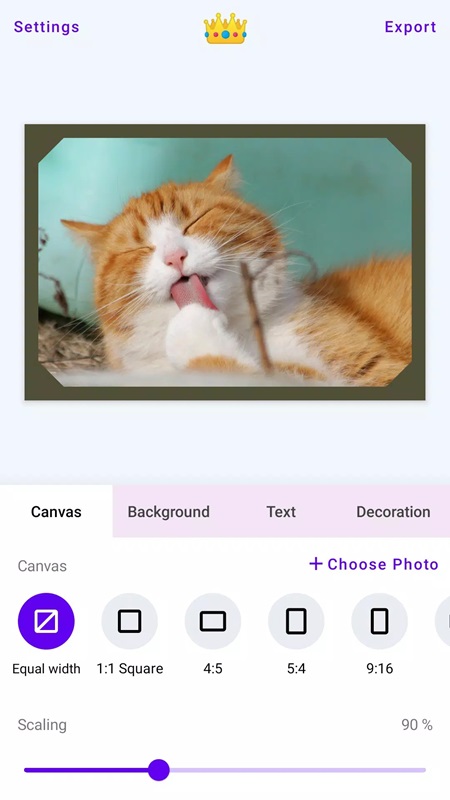
White Border Unlocked Premium helps you create beautiful photos in your personal style by adding your favorite borders to photos as desired. In the main interface, the application displays two customization options including Batch Edit and Edit Photo. For the Batch Edit section, users need to customize some parts such as Default Canvas, Default Scale, Default Corner Radius Percentage and Default BG Color. With the Default section, you can choose a built-in aspect ratio such as Original, 1:1 Square, 4:5, 5:4, 9:16, 16:9, 3:4, Wallpaper. The application also allows you to create your own aspect ratio by entering the appropriate height and length. Change the percentage of the radius of the photo’s corners from square to obtuse by adjusting the scale bar from 0% to 100%. Go to Default BG Color to choose suitable background color such as yellow, white, orange, black, blue, pink.
Choose a frame for photo
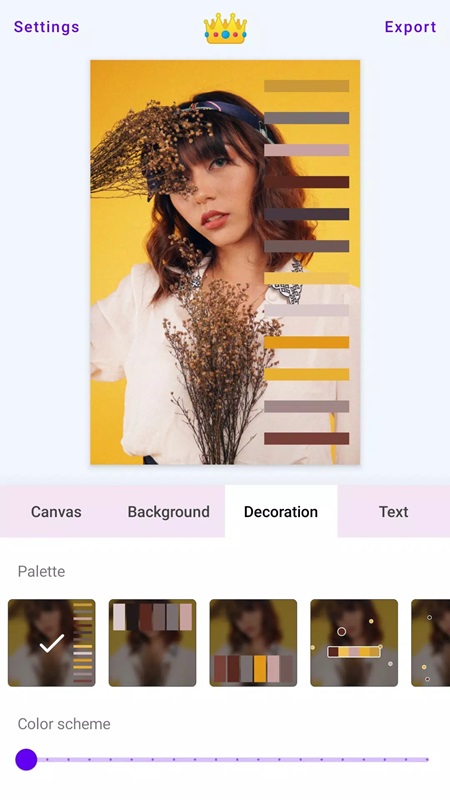
White Border MOD 4.4.5 offers users a wide range of new frames and borders, allowing you to unleash your creativity in many different styles. With the decorative frame set, you can choose unique icons such as traffic lights, hearts, circles, stars, film clips, box effects, REC icons and quotes. Thanks to that, you can easily add fun artistic accents to your favorite photos before using them. In addition, White Border MOD APK provides a diverse collection of geometric borders including triangles, rectangles, diamonds, circles, pentagrams, plus signs, fans, and hexagons. Users can combine decorative frames with geometric borders to create unique photo editing styles, highlighting photo content without the need for complex editing techniques.
Add text
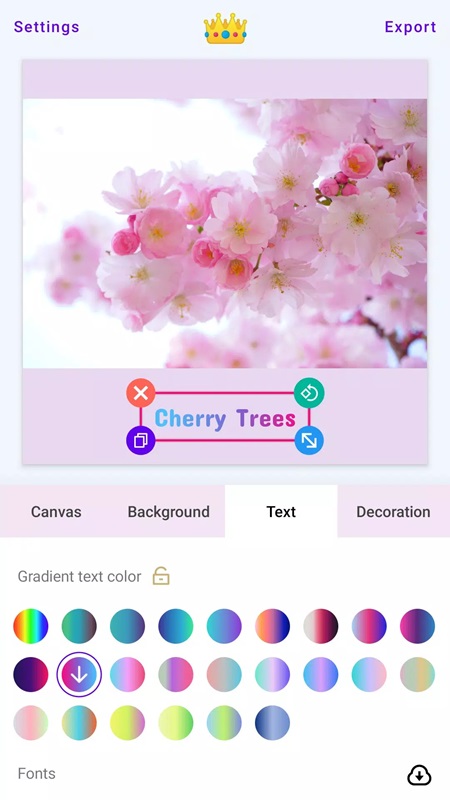
You can easily add good text content to the photo easily right on White Border MOD APK. Just click on the Text section, then adjust the font size to match the photo layout such as 10, 15, 18, 20, 35 and adjust the transparency of the content displayed on the photo. Change the color of the text with the colors provided such as Text Color, Gradient Text Color. For those who love monochrome colors such as blue, red, purple, yellow, you should choose Text Color. The application also supports changing the level of shadow, letter spacing, line spacing in the text. Choose fonts that match the expression of the text such as System, Anton, Concert One, Courgette, Alegreya, Modern Antiqua. Change the display font according to personal preferences such as bold, italic, underlined, strikethrough, bordered text.
Change filter
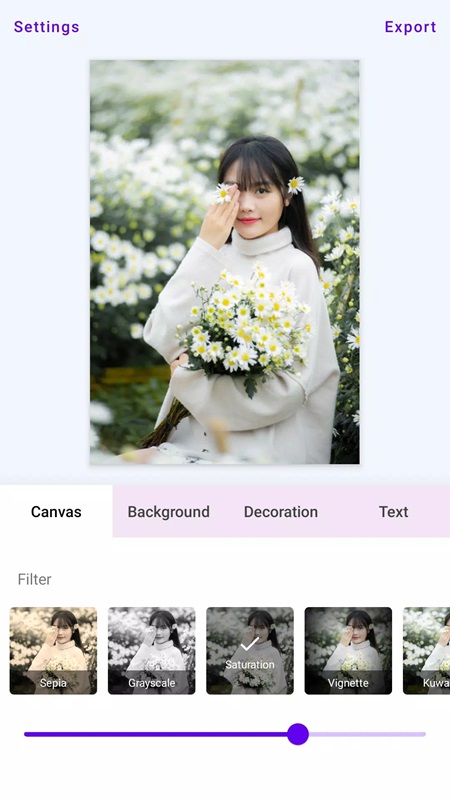
With 35 professional filters already built into White Border MOD APK to add depth and change the color of the photo. Users can easily choose from a number of popular filters such as Pixelation, Sepia Toon, Grayscale, Saturation, Vignette, Hue, Brightness or Contrast. Combine with some advanced filters such as Kuwahara, Sketch, Smooth Toon, Sobel Edge Detection, Threshold Edge Detection, Laplacian or Swirl to create unique artistic effects. After choosing the filter that suits the photo, you can adjust the intensity of the filter according to your preferences. Thanks to such diverse filters, users will optimize the time to turn a normal photo into a work of their own style, from classic, artistic to modern.
Photo editing
White Border MOD APK supports users to customize the layout of the photo to suit their wishes. You can zoom in, zoom out, rotate the photo or change the aspect ratio by cutting out excess parts, to suit other purposes such as posting on social networking platforms, creating artistic photo layouts. The system has optimized touch gestures, making it easier for you to touch, drag, and rotate photos smoothly, making alignment more accurate. After completing the photo adjustment process, users are free to share photos on Instagram, Facebook, WhatsApp, Snapchat, Tumblr, Pinterest, Flickr and Twitter. Download White Border MOD APK to make your photos more impressive by adding borders, creating blur effects, and choosing beautiful stickers.

