



 ACG
ACG
 Action
 Adventure
 Arcade
 BeautifulGirl
 Board
Board
 Card
Card
 Casual
 Chess
Chess
 Educational
 Horror
 Multiplayer
 Music
Music
 NSFW
NSFW
 Puzzle
 Racing
 Sports
 Strategy
 Survival
 Business
 Communication
 Education
 Entertainment
 Family
 News
News
 Photography
 Social
 SportsLive
 Tools
Tools
 Traffic
 Video&Music
 Weather



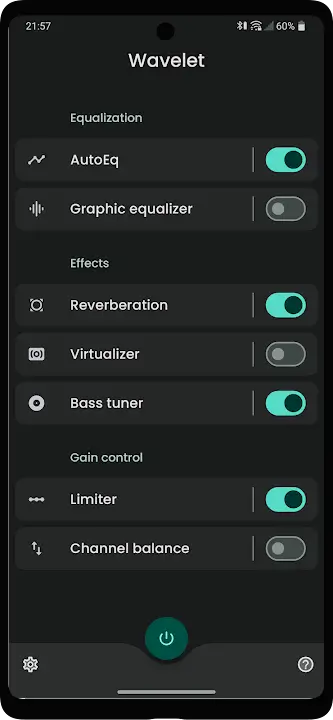
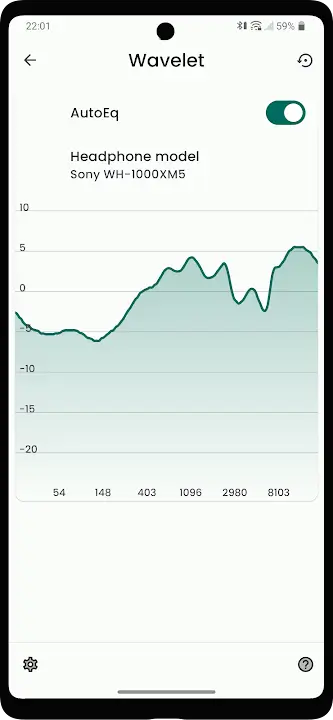
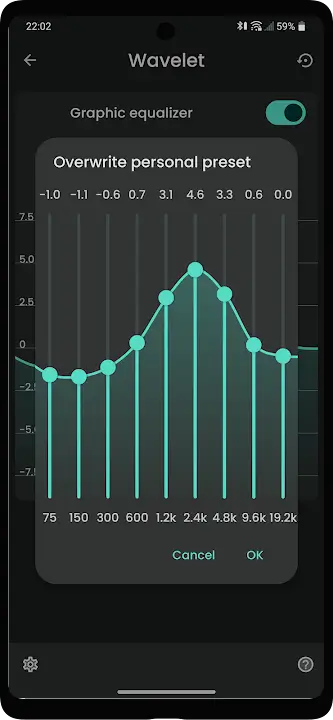
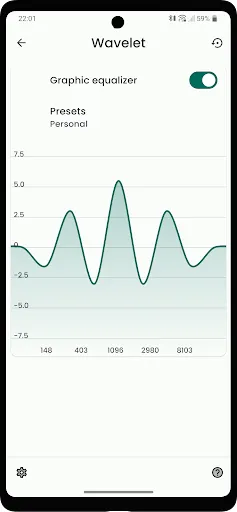
Wavelet Mod is a system-wide parametric equalizer and audio tuning application for Android. It applies headphone-specific compensation profiles and advanced DSP effects to all audio output. The app is designed for audiophiles, musicians, and users seeking precise control over their device's sound signature beyond the capabilities of standard music players.
What This Mod Unlocks
- Premium subscription features are permanently activated.
- The 9-band graphic equalizer with custom compensation is fully unlocked.
- AutoEQ database access for automatic headphone calibration is enabled.
- Bass tuner and virtualizer effects are available without restriction.
- All advertisements and promotional prompts are removed.
- Legacy Wavelet Mod features requiring a one-time purchase are unlocked.
The mod functions by bypassing the license verification check for the premium tier. This grants permanent access to the subscription-based feature set as defined in the official Wavelet Mod version 25.12 b251201.
Activation Note
No manual activation is required. Upon first launch after installing the modded APK, Wavelet Mod will display the premium feature set as active. The app's interface will show the 'AutoEQ' tab and the full graphic equalizer as available, confirming the mod is functional.
Requirements
Android 9.0 or higher is required. The app requires approximately 6 MB of storage for installation. Root access is not required. Wavelet Mod uses Android's built-in audio processing framework.
Installation Steps
- Download the Wavelet Mod mod APK file.
- Enable installation from unknown sources in Android settings.
- Open the downloaded APK file and proceed with the installation.
- Launch Wavelet Mod. Grant the necessary audio permission when prompted.
Known Edge Cases
The AutoEQ profile download feature requires an internet connection, as it fetches data from a public database. Clearing the app data will reset all user-configured equalizer settings and presets to default, but the premium unlock state persists. On some custom ROMs, the audio processing service may not initialize correctly if battery optimization is aggressively applied to system services.

