



 ACG
ACG
 Action
 Adventure
 Arcade
 BeautifulGirl
 Board
Board
 Card
Card
 Casual
 Chess
Chess
 Educational
 Horror
 Multiplayer
 Music
Music
 NSFW
NSFW
 Puzzle
 Racing
 Sports
 Strategy
 Survival
 Business
 Communication
 Education
 Entertainment
 Family
 News
News
 Photography
 Social
 SportsLive
 Tools
Tools
 Traffic
 Video&Music
 Weather
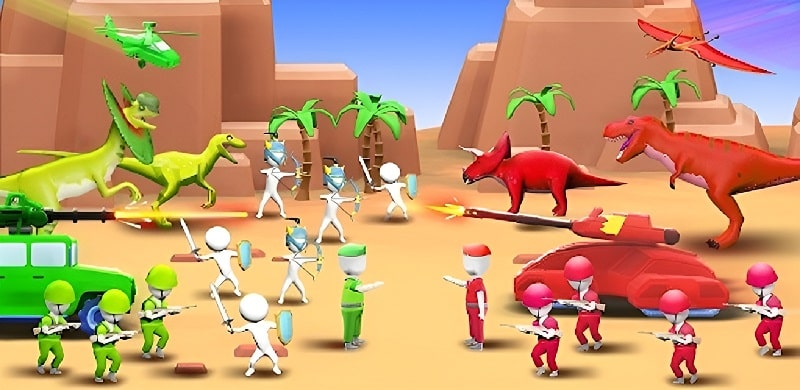



War of Ages Mod is a real-time strategy action game focused on army building and tactical combat across multiple historical timelines. Players recruit and merge warriors from different eras to form a powerful force, then deploy them in battle against AI-controlled enemy armies. The core loop involves resource management for upgrades, unit combination mechanics to create stronger troops, and conquering progressively challenging battlefields. This mod APK targets players who want to bypass the game's primary progression gate, which is the accumulation of in-game currency.
What This Mod Unlocks
- Mod Menu overlay added to the game interface.
- Unlimited Currency (Gold/Gems) option within the Mod Menu.
- All in-app purchases are unlocked and free via the mod menu.
- Ads are disabled; no video ads or interstitial banners appear.
The mod injects a floating icon into the game's main UI. Tapping this icon opens the Mod Menu panel. The menu is persistent across all game screens, including the main hub, battle preparation, and during active combat. This allows for on-the-fly resource adjustment.
War of Ages Mod mod APK requires Android 5.1 or higher. It does not require root access. The installation will consume approximately 100 MB of storage space, matching the original APK size. The mod is built on the v0.3.2 base.
Installation Steps
- Download the War of Ages Mod MOD APK file.
- Enable "Install from Unknown Sources" in your Android security settings.
- Navigate to the downloaded file using a file manager and tap to install.
- Launch the game; the mod menu icon appears on the left or right screen edge.
Known Edge Cases
- The mod menu may not appear if the game is launched while a device screen overlay permission is blocked. Grant the overlay permission in Android settings if the icon is missing.
- Unlimited currency values are client-side. Spending large amounts in a single transaction may cause a visual overflow in the UI, but the resource remains functional.
- Progress is saved locally. Clearing the app's data resets all campaign progress, but the mod menu remains active.
- This mod is for offline/single-player campaigns. Any potential future online features or leaderboards would carry a high risk of detection and account action.

