



 ACG
ACG
 Action
 Adventure
 Arcade
 BeautifulGirl
 Board
Board
 Card
Card
 Casual
 Chess
Chess
 Educational
 Horror
 Multiplayer
 Music
Music
 NSFW
NSFW
 Puzzle
 Racing
 Sports
 Strategy
 Survival
 Business
 Communication
 Education
 Entertainment
 Family
 News
News
 Photography
 Social
 SportsLive
 Tools
Tools
 Traffic
 Video&Music
 Weather



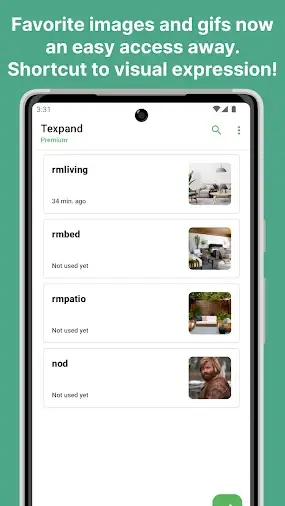
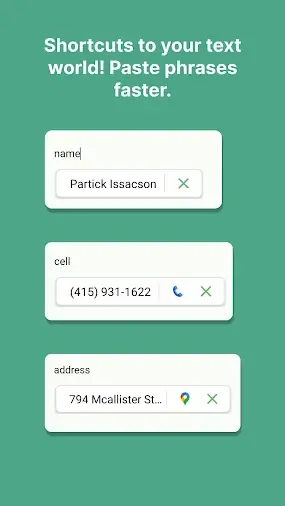
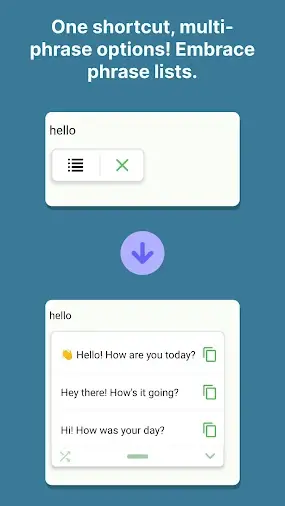
Texpand Mod is a text expansion utility for Android that automates typing by replacing user-defined abbreviations with longer phrases, snippets, or images. It operates via the Accessibility API to monitor input fields system-wide. The app is designed for users who frequently enter repetitive text, such as developers, customer support agents, or anyone seeking to improve typing efficiency on mobile devices.
What This Mod Unlocks
- Premium subscription features are permanently unlocked, removing the requirement for a monthly or yearly payment.
- All advanced variables (date/time, clipboard, cursor position) are available for use in snippets.
- The ability to attach images and GIFs to shortcuts is enabled.
- Google Drive backup and sync functionality is fully operational.
- CSV import/export for managing shortcut libraries is accessible.
- Global and per-shortcut configuration options, like instant expansion and space insertion, are unrestricted.
- Action chaining, which allows a single shortcut to trigger multiple outputs or actions, is activated.
The mod is applied directly to the APK, meaning the premium status is inherent to the installed application. No external patcher or license emulator is required after installation.
Activation Note
Upon first launch, Texpand Mod will request Accessibility Service permissions, which are mandatory for its core function. After granting this permission, the app interface will immediately reflect the unlocked premium state. No activation code or special menu is required; all premium features are available in their respective settings screens.
Requirements
This mod requires Android 8.0 (Oreo) or higher. The installation file is approximately 15 MB, with additional storage needed for user data and snippet libraries. Root access is not required. The Accessibility Service permission must be granted for Texpand Mod to function.
Install Steps
- Download the modified Texpand Mod APK file.
- Enable "Install from Unknown Sources" in your Android settings if prompted.
- Open the downloaded file using a file manager to begin installation.
- Complete the installation wizard.
- Open Texpand Mod, grant the requested Accessibility Service permission, and configure your shortcuts.
Known Edge Cases
The modded version of Texpand Mod functions identically to the official premium app in offline use. Since Texpand Mod's premium features are client-side, there is no server-side validation or ban risk. Clearing the app's data will reset user-created shortcuts and settings to default, but the premium unlock status remains intact as it is baked into the APK. On some devices with heavily customized Android skins, the Accessibility Service trigger might be delayed; this is a platform issue, not a mod flaw. The mod is confirmed working on version 2.5.3 (build 47dfe7b).

