



 ACG
ACG
 Action
 Adventure
 Arcade
 BeautifulGirl
 Board
Board
 Card
Card
 Casual
 Chess
Chess
 Educational
 Horror
 Multiplayer
 Music
Music
 NSFW
NSFW
 Puzzle
 Racing
 Sports
 Strategy
 Survival
 Business
 Communication
 Education
 Entertainment
 Family
 News
News
 Photography
 Social
 SportsLive
 Tools
Tools
 Traffic
 Video&Music
 Weather
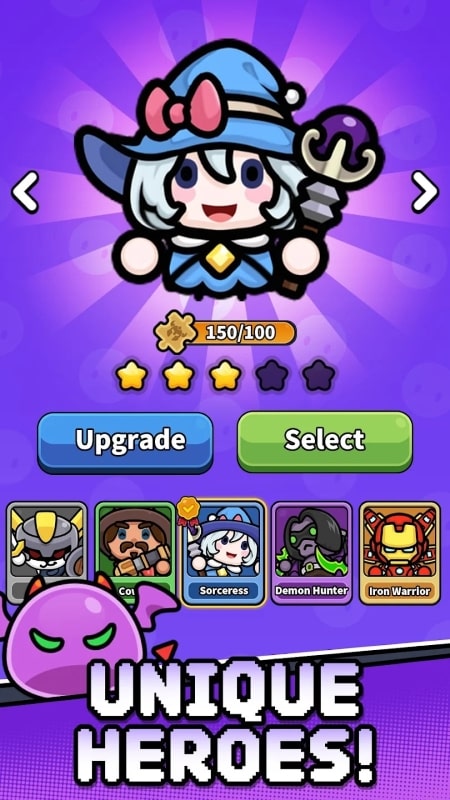



Slime Clash: Roguelike Shooting is a top-down, auto-shooter roguelike where players control a hero battling waves of cartoon slimes. The core loop involves clearing rooms, collecting temporary power-ups, and facing bosses, with permanent progression tied to unlocking new heroes and upgrades. This mod APK targets players who want to bypass the game's difficulty curve and resource grind to experiment with builds or complete runs more reliably.
What This Mod Unlocks
- Mod Menu: A floating, draggable interface overlay provides real-time access to cheat toggles during gameplay.
- Damage Multiplier: A configurable slider increases the damage output of the player's primary and secondary attacks.
- Defense Multiplier: A separate slider reduces incoming damage from all enemy slime attacks.
- God Mode: A toggle that makes the player character immune to all damage, preventing health loss.
The mod menu in Slime Clash: Roguelike Shooting appears as a semi-transparent button on the left side of the screen upon launching any game mode. Tapping this button expands the menu. The most critical feature, God Mode, is activated by tapping its toggle switch; a visual indicator confirms it is active. Adjusting the Damage and Defense Multiplier sliders provides immediate, in-combat feedback.
This modified version of Slime Clash: Roguelike Shooting requires Android 7.0 or higher. Installation requires approximately 180 MB of free storage. Root access is not required.
Installation follows a standard sideload process. First, enable "Install from Unknown Sources" for your file manager or browser in Android settings. Second, download the mod APK file. Third, locate the downloaded file using a file manager app and tap to install. Fourth, launch the game and confirm the mod menu overlay is present.
Several edge cases exist with this mod. The mod menu overlay may not render correctly on some devices with aggressive battery optimization or overlay-blocking settings, requiring permissions to be granted manually. Progress made using the mod, particularly in challenge modes or leaderboard events, may be flagged if the game implements server-side validation in future updates. Clearing the app's data or uninstalling will reset all in-game progression, including legitimately unlocked heroes.

