



 ACG
ACG
 Action
 Adventure
 Arcade
 BeautifulGirl
 Board
Board
 Card
Card
 Casual
 Chess
Chess
 Educational
 Horror
 Multiplayer
 Music
Music
 NSFW
NSFW
 Puzzle
 Racing
 Sports
 Strategy
 Survival
 Business
 Communication
 Education
 Entertainment
 Family
 News
News
 Photography
 Social
 SportsLive
 Tools
Tools
 Traffic
 Video&Music
 Weather
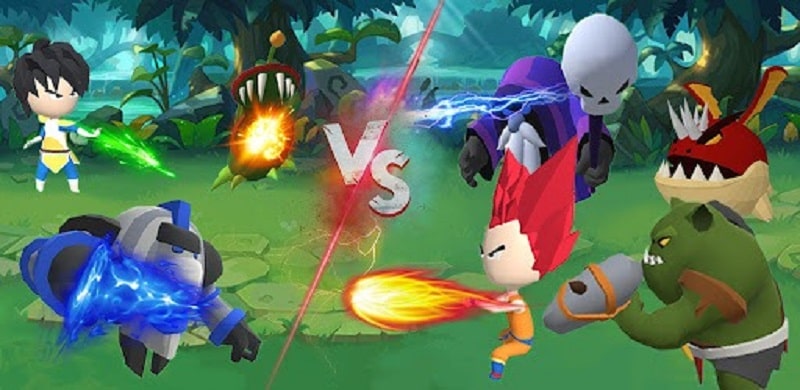



Merge Heroes – Warrior Battle Mod is an arcade-style game centered on merging similar Dragon Ball characters to create stronger units for battle. It targets players familiar with the franchise who enjoy incremental power progression through combination mechanics. The core loop involves gathering units, merging them to unlock higher-tier heroes, and deploying them in auto-battles against enemy waves.
What This Mod Unlocks
- Mod Menu overlay providing real-time adjustment of damage multiplier.
- Mod Menu overlay providing real-time adjustment of defense multiplier.
- All menu toggles are active upon installation; no in-game currency or premium unlock is required.
The mod features are accessed via a persistent floating icon on the game screen. Tapping this icon opens the Mod Menu panel where sliders for damage and defense can be adjusted. Values can be set from 1x to very high multipliers, directly affecting combat calculations.
Merge Heroes – Warrior Battle Mod requires Android 4.4 or higher. The APK file size is approximately 65 MB. Root access is not required for installation or mod functionality.
- Download the Merge Heroes – Warrior Battle Mod APK file.
- Enable installation from unknown sources in Android settings.
- Open the downloaded file and proceed with the installation.
- Launch the game; the mod menu icon will appear on the main interface.
Known edge cases include the mod menu potentially interfering with touch inputs on certain screen edges. Multiplayer or online leaderboard functionality, if present, carries a high risk of detection and account penalty. Modifier values reset to default upon closing and reopening the app; they are not permanently saved. Some post-update game versions may cause the mod menu to fail to load.

