



 ACG
ACG
 Action
 Adventure
 Arcade
 BeautifulGirl
 Board
Board
 Card
Card
 Casual
 Chess
Chess
 Educational
 Horror
 Multiplayer
 Music
Music
 NSFW
NSFW
 Puzzle
 Racing
 Sports
 Strategy
 Survival
 Business
 Communication
 Education
 Entertainment
 Family
 News
News
 Photography
 Social
 SportsLive
 Tools
Tools
 Traffic
 Video&Music
 Weather
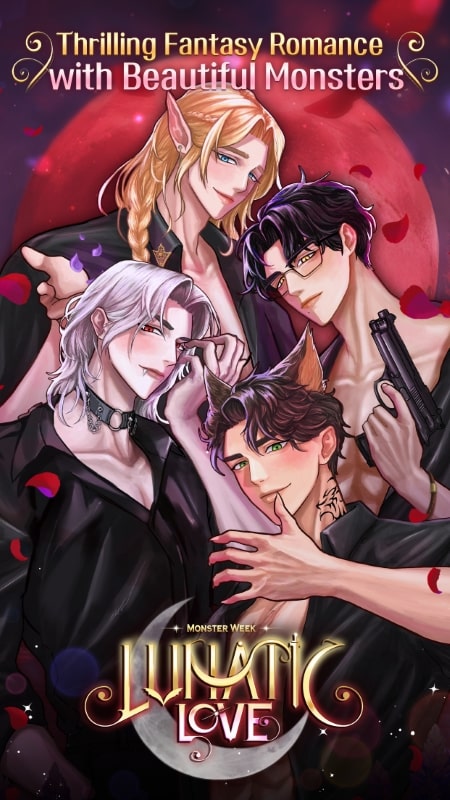



Lunatic Love Fantasy Otome Mod is a visual novel simulation for players seeking narrative-driven romance with supernatural characters. The core loop involves reading story segments and selecting dialogue or action choices that influence relationships and plot branches. The game targets the otome genre audience, focusing on emotional connection and story progression over mechanical complexity.
What This Mod Unlocks
- Premium Choices Unlocked: All story choices that require premium currency (gems or tickets) in the official version are available without cost.
- Mod Menu Interface: A floating button provides access to the mod's toggle functions within the game.
- Ad Removal: All interstitial and banner advertisements are disabled.
The mod menu appears as a semi-transparent icon overlaying the game screen. Tap it to open a panel with the unlock toggle. The most critical mod feature, free premium choices, is activated by default upon installation; no in-game currency purchase is necessary to select any locked option.
Lunatic Love Fantasy Otome Mod requires Android 5.1 or higher. The APK file size is approximately 117 MB. Additional data may be downloaded upon first launch. Root access is not required for installation or function.
Installation follows the standard sideload process for modified APKs. First, enable installation from unknown sources in your Android security settings. Second, download the Lunatic Love Fantasy Otome Mod mod APK file. Third, locate the downloaded file using a file manager and tap to install. Fourth, launch the game from your app drawer.
Known edge cases include potential instability if the game attempts to connect to the developer's server for validation, though the mod is designed for offline play. Progress is saved locally; clearing app data will reset story progress and unlocked chapters. The mod menu may not appear on certain device models with aggressive overlay permissions; granting the draw over other apps permission is necessary.

