



 ACG
ACG
 Action
 Adventure
 Arcade
 BeautifulGirl
 Board
Board
 Card
Card
 Casual
 Chess
Chess
 Educational
 Horror
 Multiplayer
 Music
Music
 NSFW
NSFW
 Puzzle
 Racing
 Sports
 Strategy
 Survival
 Business
 Communication
 Education
 Entertainment
 Family
 News
News
 Photography
 Social
 SportsLive
 Tools
Tools
 Traffic
 Video&Music
 Weather



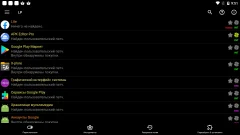

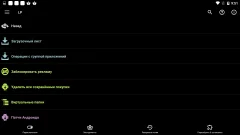
Lucky Patcher Mod is a system-level tool for Android that intercepts and modifies application behavior. It targets license verification, in-app purchase routines, and advertisement SDKs. The app is designed for users who want to alter the functionality of other installed applications without modifying their APK files directly. It operates by applying patches to the target app's runtime environment.
What This Mod Unlocks
- Bypasses license verification for paid applications and games.
- Removes all integrated advertisement modules from patched apps.
- Unlocks premium features that normally require in-app purchases.
- Enables offline mode for applications that require a persistent internet connection.
- Allows the creation of modified APK backups of patched applications.
To apply a patch, open Lucky Patcher Mod and select an app from the list. The most important mod feature is accessed via the "Open menu of patches" button. A menu will appear with specific modification options like "Remove license verification" or "Remove Google Ads". Select the desired patches and apply them. The app will need to be reopened for changes to take effect.
Lucky Patcher Mod requires Android 4.0 or higher. It does not require root access for basic patching, though some advanced features are root-only. The app itself occupies approximately 11 MB of storage. It generates modified APK backups which require additional space.
Installation involves three steps. First, enable installation from unknown sources in Android security settings. Second, download the Lucky Patcher Mod APK file. Third, open the downloaded file and follow the on-screen prompts to install.
Known edge cases exist. Patching server-authenticated online games often fails and can lead to account bans. Some app updates will overwrite and remove applied patches, requiring re-patching. The "Remove license verification" patch does not work on all applications, particularly those with custom or server-side checks. On non-rooted devices, the modification process is less reliable and some patches may not apply successfully.

