



 ACG
ACG
 Action
 Adventure
 Arcade
 BeautifulGirl
 Board
Board
 Card
Card
 Casual
 Chess
Chess
 Educational
 Horror
 Multiplayer
 Music
Music
 NSFW
NSFW
 Puzzle
 Racing
 Sports
 Strategy
 Survival
 Business
 Communication
 Education
 Entertainment
 Family
 News
News
 Photography
 Social
 SportsLive
 Tools
Tools
 Traffic
 Video&Music
 Weather
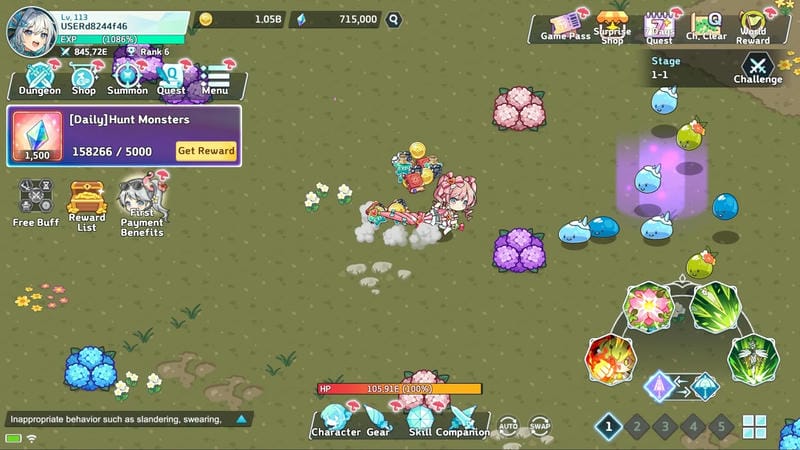



Let’s Go! Rain – Cute Idle RPG Mod is an offline idle role-playing game where players control Rain, a cursed character on a journey to reclaim lost souls through automated combat against patterned bosses. The game is designed for players who prefer incremental progression with minimal active input, featuring an offline reward system that continues character advancement while the app is closed. The core loop involves strategic pattern recognition during boss fights to maximize rewards and character evolution.
What This Mod Unlocks
- Mod Menu: A floating on-screen interface provides toggle switches for all cheat functions.
- Damage Multiplier: Adjustable multiplier for outgoing damage, configurable via the mod menu slider.
- God Mode: Player character becomes immune to all damage from enemy attacks.
- Freeze Enemies: Toggle to immobilize all active enemies, halting their movement and attacks.
- Move Speed Multiplier: Increases the player character's movement speed beyond the default limit.
- Unlimited Skills: Removes cooldown timers for all character abilities, allowing instant reuse.
- Game Speed Control: Slider to increase or decrease the overall game simulation speed.
- Enable Guest Login: Bypasses any mandatory account registration prompts.
The mod menu is activated by tapping a small, semi-transparent icon that appears on the edge of the screen shortly after the Let’s Go! Rain – Cute Idle RPG Mod main menu loads. This icon must be tapped to open the full menu interface before any multipliers or toggles can be adjusted. The menu remains open and draggable during gameplay.
This modified APK requires Android 7.0 or higher and approximately 200 MB of free storage for installation and game data. Root access is not required. The mod functions entirely in offline mode.
Installation follows the standard sideload process. First, enable installation from unknown sources in Android settings. Second, download the APK file. Third, locate the downloaded file using a file manager app. Fourth, tap the file to begin the installation. Fifth, open the game after installation completes.
Several edge cases exist. The mod menu may fail to appear if the game is launched while another overlay application is active. Any progression made with mod features active is saved locally and will be lost if app data is cleared. The game speed modifier can cause animation glitches during certain boss transition sequences. The guest login feature only provides temporary local save data.

