



 ACG
ACG
 Action
 Adventure
 Arcade
 BeautifulGirl
 Board
Board
 Card
Card
 Casual
 Chess
Chess
 Educational
 Horror
 Multiplayer
 Music
Music
 NSFW
NSFW
 Puzzle
 Racing
 Sports
 Strategy
 Survival
 Business
 Communication
 Education
 Entertainment
 Family
 News
News
 Photography
 Social
 SportsLive
 Tools
Tools
 Traffic
 Video&Music
 Weather


Introduce MOD APK Easy work scheduling
Easy work scheduling MOD APK (Unlocked Premium) supports users in managing and arranging work schedules intelligently. The system will automatically calculate the number of working days in a certain period of time, helping you quickly grasp your workload. Set a suitable alarm time for the system to send reminder notifications before your shift. Easily back up all data to Google Drive to ensure the safety of your work schedule and easily restore old data.
Contents
1 Easy work scheduling MOD APK – Create and track work schedules1.1 Add work shift1.2 Customize reminders1.3 Backup in Google Drive1.4 Synthetic of work schedule
Users are free to customize the calendar display interface according to their personal preferences right on Easy work scheduling MOD APK. You just need to access the Settings section, then reset some parts such as turning on or off the date display mode. The application provides you with a diverse color palette to change the background color, text for the current month to easily distinguish it from other months, and customize the color of the note icon. Therefore, users should choose the right color for the calendar interface based on their personal style.
Easy work scheduling MOD APK – Create and track work schedules
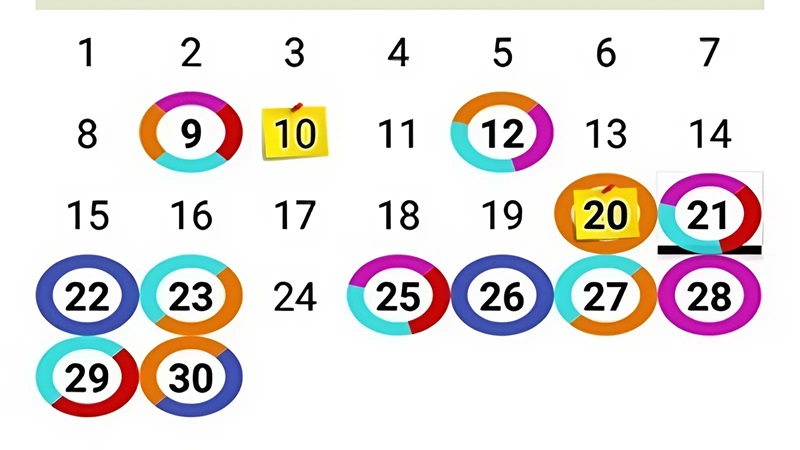
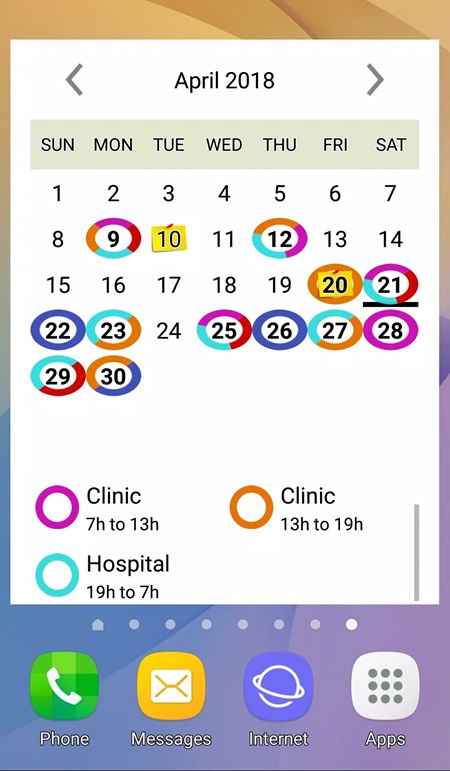
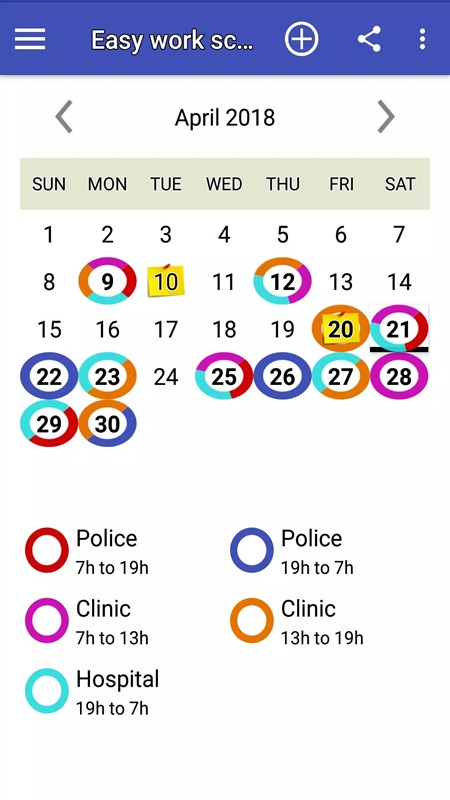
Developed to facilitate daily work, Easy work scheduling Unlocked Premium helps you arrange any shift work schedule or fixed schedule from simple to difficult jobs. Users can use the pre-equipped work schedule template, then customize the time as desired. You just need to access the Custom Pattern section, where the system has displayed a blank work schedule board with 49 days for you to set up. Click on the asterisked squares that appear on the board, the application displays the Select a scale section for you to choose the appropriate shifts that have been saved in advance. When you have completed the customization process, select Save to save and apply that template to the following months or click Clean to delete the created data. The set work schedules will be clearly displayed on the board with different colors, making it easy for you to follow.
Add work shift
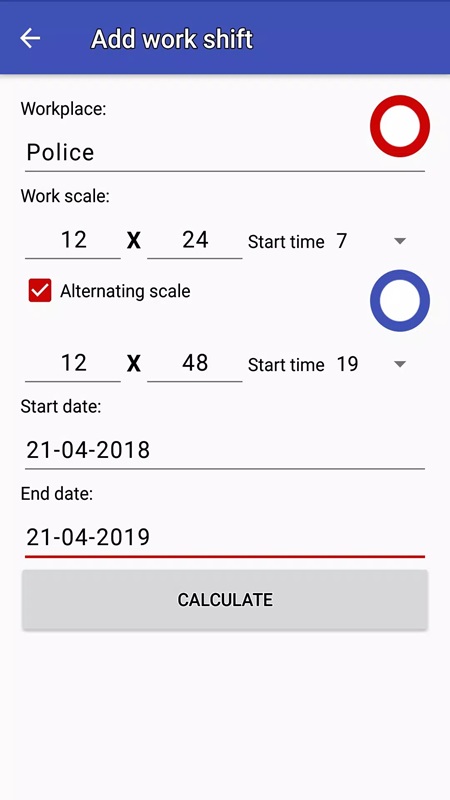
Easy work scheduling MOD 1.8.0 allows users to create and set up new work shifts as desired. Access the Add work shift section by clicking on the plus icon in the right corner of the screen, the system will display some important parts required in a work shift. Users need to enter the name of the workplace, determine the work and rest periods, and set the start time of the shift. You can enable the Alternating scale mode to set up two alternating shifts, for example, the day shift from 7:00 to 19:00 and the night shift from 19:00 to 7:00. When this feature is activated, the application will automatically arrange the shifts to alternate. In addition, you should also select the start date and end date of that work schedule so that the application can automatically calculate the specific number of working days.
Customize reminders
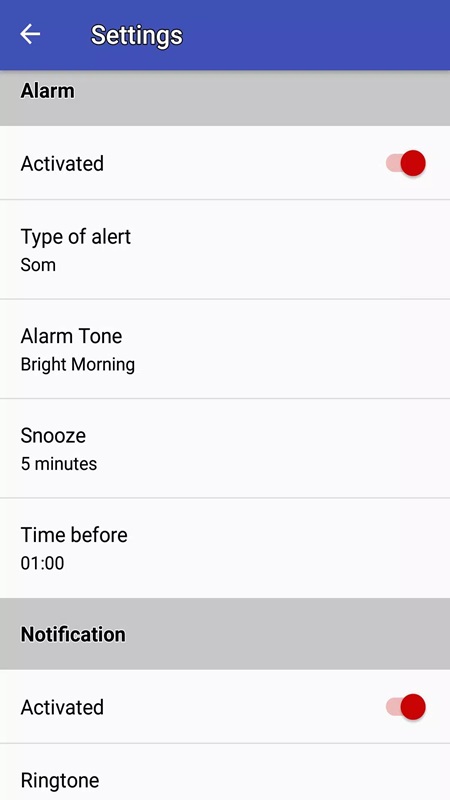
To avoid users forgetting their shifts, Easy work scheduling MOD APK integrates a feature to send reminders when their shifts are about to start. Go to settings and select Alarm, then start the process of setting up the appropriate reminder so as not to miss any important schedules. Choose the type of notification you want with three settings including sound, vibration or both sound and vibration, adjust the volume as desired. In addition, the application provides you with many types of notification ringtones such as Adara, Altair, Alya, Antares, Antimony, Argon, Beat Box Android. Set the time to resend the reminder with options such as 5 minutes, 10 minutes, 15 minutes and 30 minutes. Finally, set the alarm time according to personal needs. This feature makes it more convenient for you to manage your working time and maintain the habit of going to work on time.
Backup in Google Drive
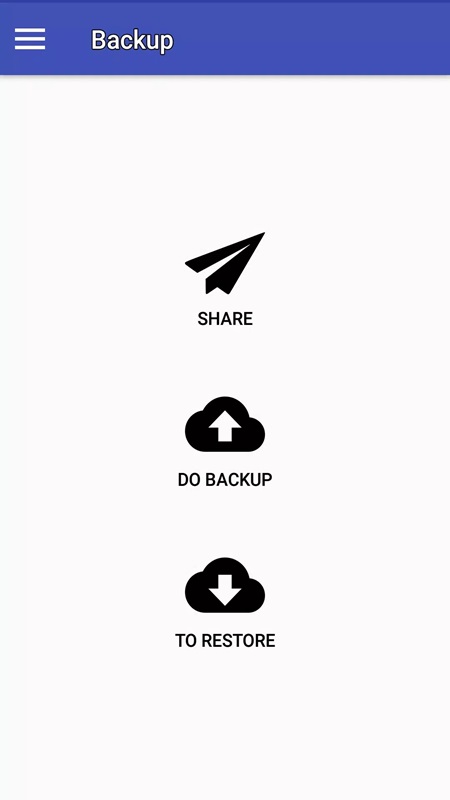
All data related to your work schedule is backed up to Google Drive by Easy work scheduling MOD APK. In the Backup section, the system displays three main options including Share, Do Backup, To Restore. With the Do Backup section, users can perform the data backup process to ensure that they do not lose their work schedules when changing devices or reinstalling applications. The To Restore option helps restore previously saved data from Google Drive. Thanks to that, managing your work schedule will become simpler and more seamless. In addition, Easy work scheduling MOD APK allows users to freely share backup files via platforms such as email or messaging platforms such as Zalo, Messenger.
Synthetic of work schedule
Users can self-calculate and summarize the work schedule at an optional time. To start the statistical process, you need to access the Report section, where the system has displayed all the working shifts with the total working hours. The application has divided the summary into two main sections including Start date and End date, you need to select the appropriate date and press Calculate to start the synthesis process. For example, from October 2, 2024 to November 2, 2024, the total number of the first shifts you get is 45, the total number of the next shifts is 35. You should compare and check the tracking schedule to see if it is correct or not and can optionally publish that summary in PDF format for storage or sharing when needed. Download Easy work scheduling MOD APK set reminders to easily capture and organize all work schedules every day.

