



 ACG
ACG
 Action
 Adventure
 Arcade
 BeautifulGirl
 Board
Board
 Card
Card
 Casual
 Chess
Chess
 Educational
 Horror
 Multiplayer
 Music
Music
 NSFW
NSFW
 Puzzle
 Racing
 Sports
 Strategy
 Survival
 Business
 Communication
 Education
 Entertainment
 Family
 News
News
 Photography
 Social
 SportsLive
 Tools
Tools
 Traffic
 Video&Music
 Weather



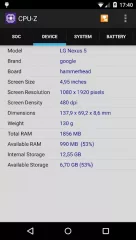
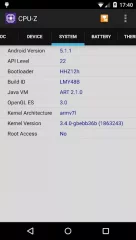
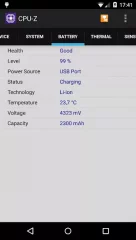
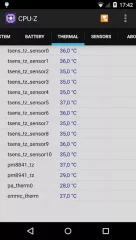
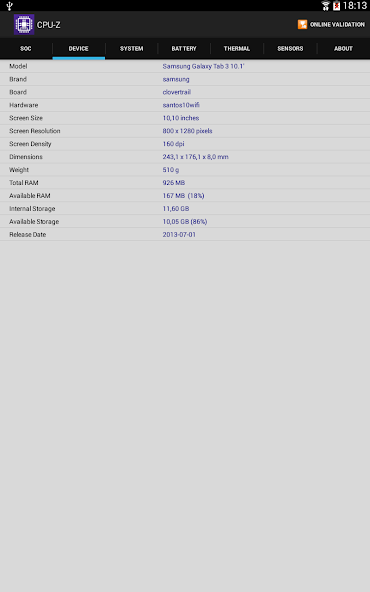

CPU-Z Mod is a hardware information and diagnostic utility for Android devices. It provides detailed, real-time specifications for the device's processor, memory, battery, sensors, and system-on-chip. The app is designed for developers, technicians, and power users who require accurate, low-level system data without requiring root access.
What This Mod Unlocks
- Premium version features are fully unlocked.
- All advertisements are removed from the interface.
- The app's commercial restrictions are disabled.
To access the unlocked premium features, simply launch CPU-Z Mod after installation. The mod is applied automatically; there is no separate activation menu or toggle. The interface will be free of ads and all premium sections will be accessible immediately.
This mod for CPU-Z Mod requires Android 6.0 or higher. It does not require root permissions. The installation requires approximately 25 MB of free storage space.
Installation steps are as follows: 1. Download the modified APK file. 2. Enable installation from unknown sources in Android settings. 3. Open the downloaded file and follow the on-screen prompts. 4. Launch CPU-Z Mod from the app drawer.
Known edge cases include the possibility of the app's data validation failing on future official updates, requiring a new modded version. Clearing the app's data may not revert the premium status, but a fresh install of the mod is recommended if issues arise. The mod functions entirely offline; there is no risk of server-side detection as CPU-Z Mod does not use online authentication for its premium features.

