



 ACG
ACG
 Action
 Adventure
 Arcade
 BeautifulGirl
 Board
Board
 Card
Card
 Casual
 Chess
Chess
 Educational
 Horror
 Multiplayer
 Music
Music
 NSFW
NSFW
 Puzzle
 Racing
 Sports
 Strategy
 Survival
 Business
 Communication
 Education
 Entertainment
 Family
 News
News
 Photography
 Social
 SportsLive
 Tools
Tools
 Traffic
 Video&Music
 Weather


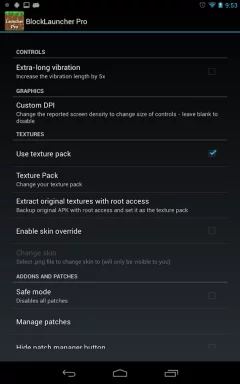
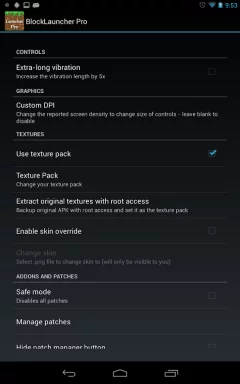
BlockLauncher Pro Mod is a specialized launcher for Minecraft: Pocket Edition (MCPE) that functions as a mod loader and runtime environment. It is designed for players who want to install custom mods, add-ons, texture packs, and JavaScript modifications. The app provides a framework to inject these customizations into the game by hooking into the MCPE process. It also offers performance tuning options like graphics quality and resolution adjustments. This tool is primarily for advanced users and modders who require more control over their Minecraft PE experience beyond the vanilla game.
What This Mod Unlocks
- Premium version features unlocked, removing the payment requirement.
- All pro-level mod management and scripting capabilities are accessible.
- Full graphics configuration settings are available without restriction.
- No advertisements or promotional content are present.
The mod features are integrated directly into the app interface. Upon launching BlockLauncher Pro Mod, you will have immediate access to the premium settings and mod management panels that were previously locked behind the paywall. No additional activation steps or menu toggles are required.
BlockLauncher Pro Mod requires Android 2.3 or higher. The APK file size is approximately 32 MB. Installation will require additional storage for mod files and the Minecraft PE game itself. Root access is not required for the launcher or the mod to function.
Installation follows standard sideloading procedure. First, download the BlockLauncher Pro Mod mod APK file to your device. Second, ensure installation from unknown sources is enabled in your Android security settings. Third, locate the downloaded file using a file manager and tap to install. Fourth, launch BlockLauncher Pro Mod and configure the path to your Minecraft PE installation.
Several edge cases are known. The modded BlockLauncher Pro Mod may not be compatible with future official updates of Minecraft PE, requiring a new mod APK. If you clear the app data for BlockLauncher Pro Mod, you may need to reconfigure mod paths and settings. Using script mods that heavily modify game logic can occasionally cause instability or crashes. The launcher's functionality is dependent on the underlying Minecraft PE app being installed and accessible.

