



 ACG
ACG
 Action
 Adventure
 Arcade
 BeautifulGirl
 Board
Board
 Card
Card
 Casual
 Chess
Chess
 Educational
 Horror
 Multiplayer
 Music
Music
 NSFW
NSFW
 Puzzle
 Racing
 Sports
 Strategy
 Survival
 Business
 Communication
 Education
 Entertainment
 Family
 News
News
 Photography
 Social
 SportsLive
 Tools
Tools
 Traffic
 Video&Music
 Weather
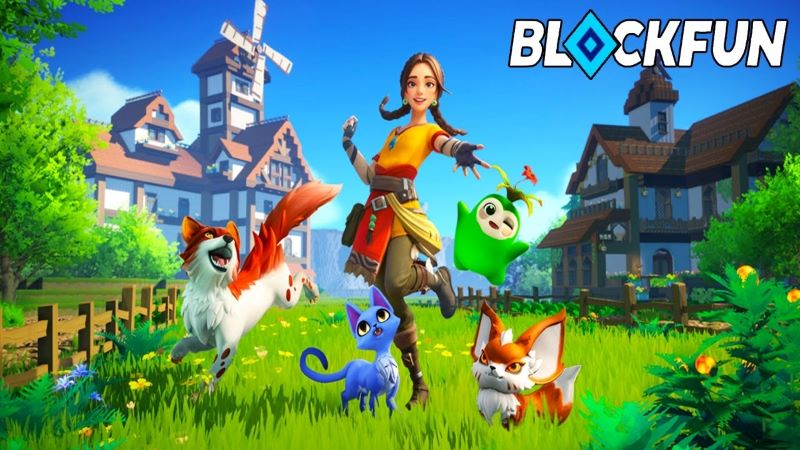



BlockFun Mod is a survival and town-building role-playing game set on the Seofar continent. Players start with amnesia and must explore diverse biomes like Wedge Valley and Oran River Valley to gather resources, construct buildings, recruit other characters, and develop a self-sufficient settlement. The game blends resource management, crafting, and light social simulation within an open-world structure.
What This Mod Unlocks
- Mod Menu overlay added to the game interface.
- God Mode toggle prevents all character health depletion.
- Damage Multiplier slider increases attack output against enemies.
- Defense Multiplier slider reduces incoming damage from all sources.
The mod menu is activated via a persistent floating icon on the screen after launching BlockFun Mod. Tapping this icon opens the configuration panel where God Mode, Damage Multiplier, and Defense Multiplier can be toggled or adjusted independently. Changes apply in real-time.
BlockFun Mod version 1.5.0 requires Android 5.1 or higher. The installation requires approximately 800 MB of free storage. Root access is not necessary for the mod to function.
Installation Steps
- Download the BlockFun Mod mod APK file.
- Enable installation from unknown sources in Android settings.
- Open the downloaded file and proceed with the installation.
- Launch BlockFun Mod and locate the mod menu icon on screen.
Known Edge Cases
The god mode feature may cause scripted story sequences involving character defeat to stall. Multiplier values set too high can trigger integer overflow, resulting in unintended damage values. The mod menu icon may not render correctly on some devices with custom navigation gesture overlays. Progress made with mod features active is saved locally; clearing app data will reset all progress and mod settings.

